Your First Digital Product.Listed & Selling.
Listed offer in under two hours — using products already inside your PLR.me account.
"Close this guide with a live, priced digital product on a platform that can take payments tonight. Not a draft. Not a plan. A listed offer."
All it takes is ONE digital product.
What's the one digital product you could launch and sell today that would change your life — and someone else's — instantly?
What if you could package that up in two hours and have it in their hands without writing a single word of the ebook, the emails, or the social posts?
That's what you're going to do today.
I've watched thousands of members pull a product from the PLR.me library, run it through the AI tools, and have a live listing before dinner. The writing was already done. The only thing they had to do was make it theirs — and that's exactly what this guide walks you through, step by step.
By the end, you'll have…
You already have the inventory.
PLR.me's library has over 19,000 expert-written products — ebooks, checklists, templates, email sequences, courses, worksheets — across dozens of niches. Every single one is yours to brand, rename, modify, and sell as your own.
The AI Playground tools inside your account turn any product into something that sounds like you — in minutes. Pick one. Make it yours. List it. That's the whole job.
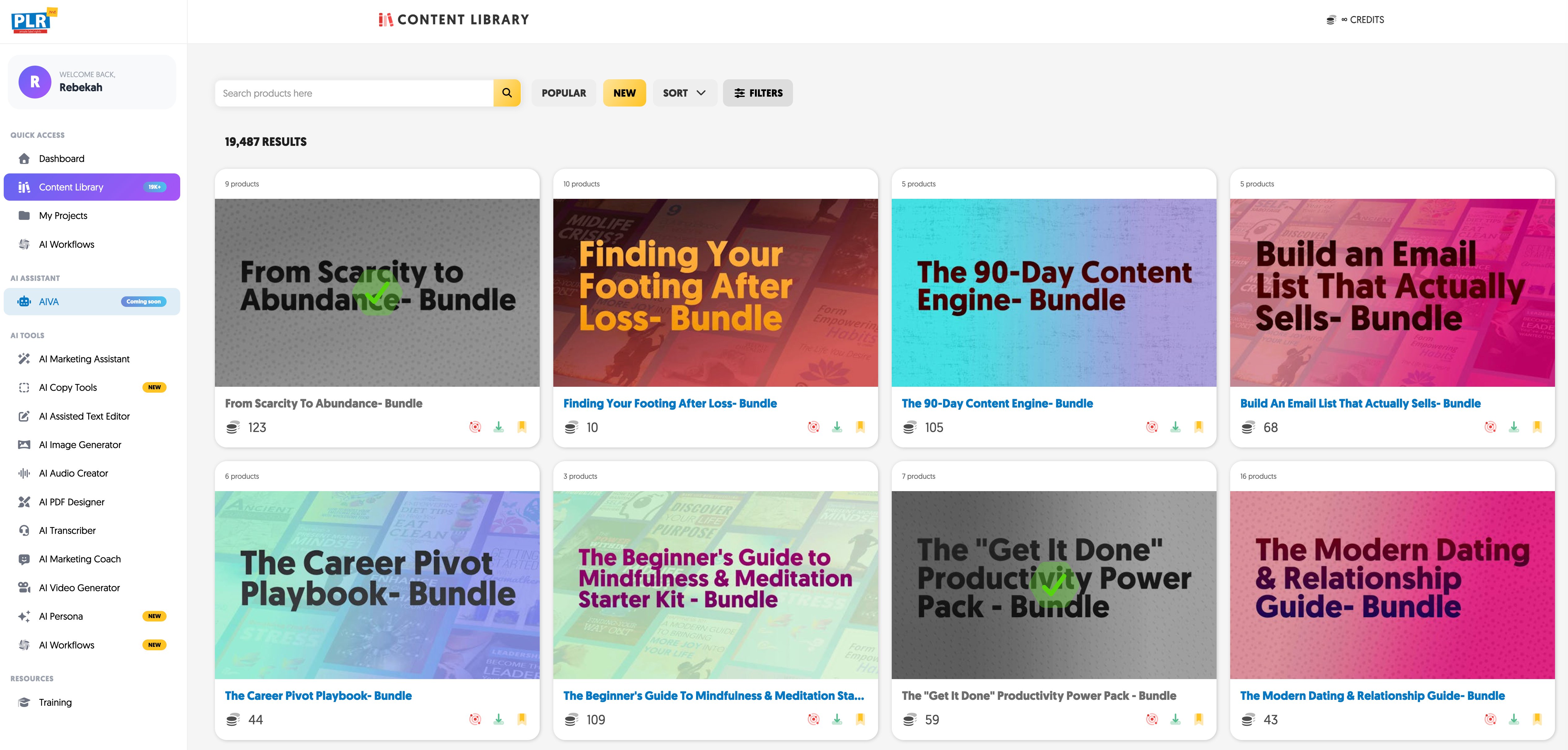
Go to your Content Library. One product. One problem. One specific group of people. That's your target — find it before you start browsing.
Fast-selling niches to search
| Your Audience | Search This in PLR.me | Best Product Type |
|---|---|---|
| New entrepreneurs | business start, side hustle, income | Checklist, ebook, starter guide |
| Health & wellness | stress, sleep, weight, habits | Workbook, planner, challenge kit |
| Social media creators | Instagram, TikTok, content strategy | Templates, caption kit, swipe file |
| Parents & families | parenting, kids, organization | Printables, planner, activity guide |
| Personal finance | budgeting, debt, savings, money | Workbook, tracker, ebook |
Once you find a product you like — stop browsing. Pick it. Move to Step 2.
Step 1 complete when: You have one product selected and you know exactly who it's for.
The PLR title is a placeholder. Your title is what sells it. Get this right before you touch anything else.
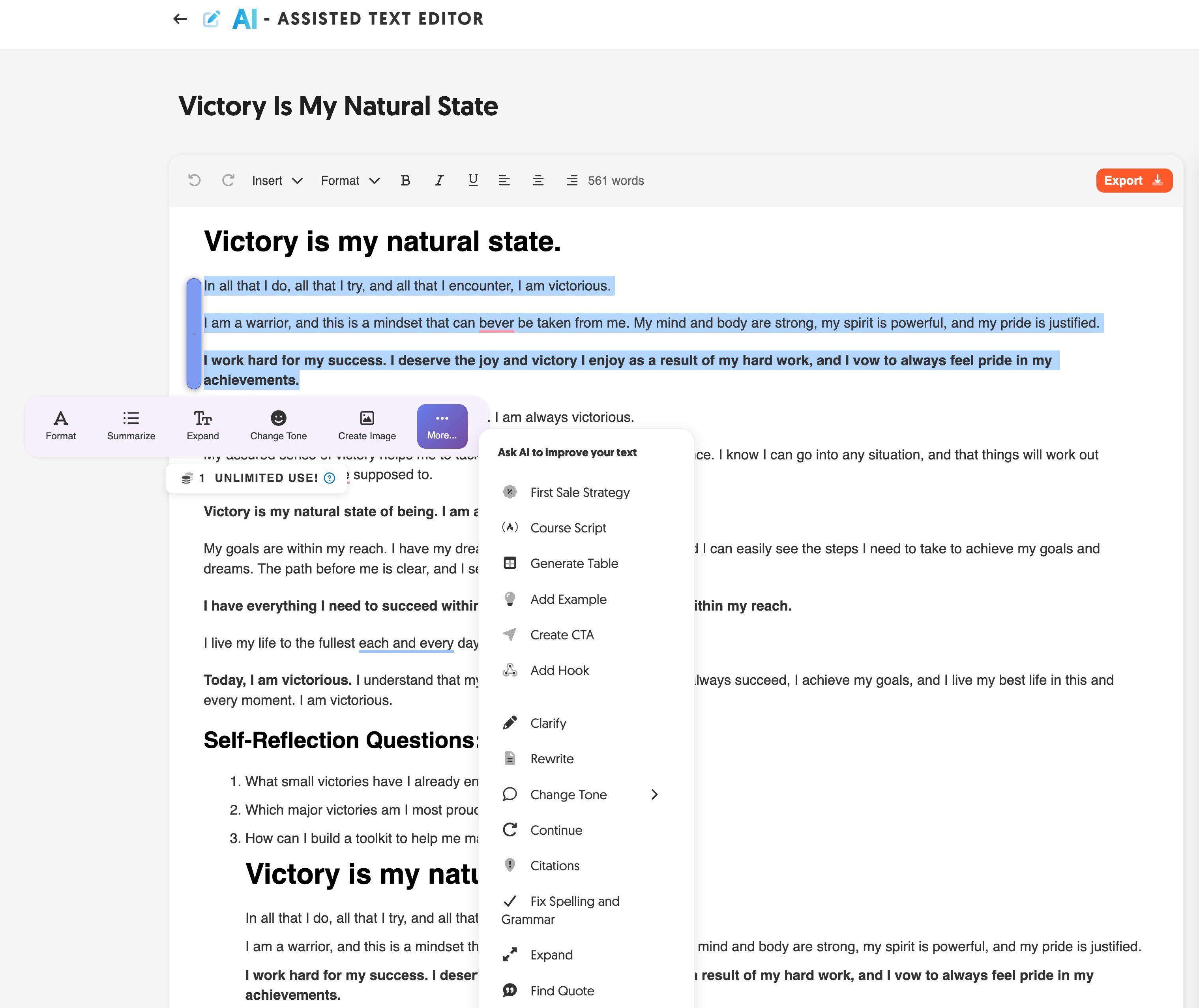
Not sure if your title will sell? You can figure it out the hard way — or let the AI do it in one click.
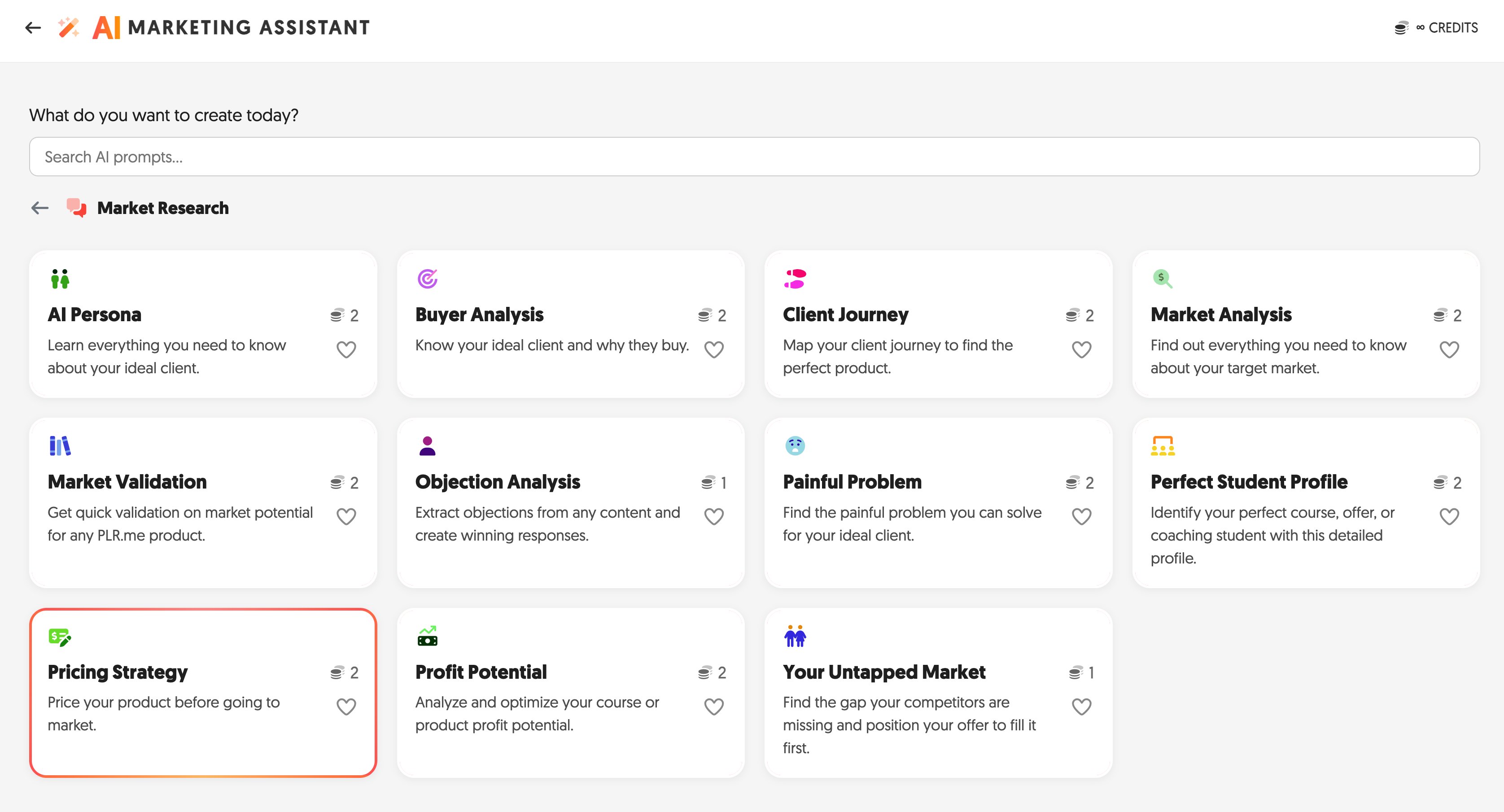
Customize the content — two tools, two jobs
Step 2 complete when: You have a new title, customized content, and sales page copy ready to paste.
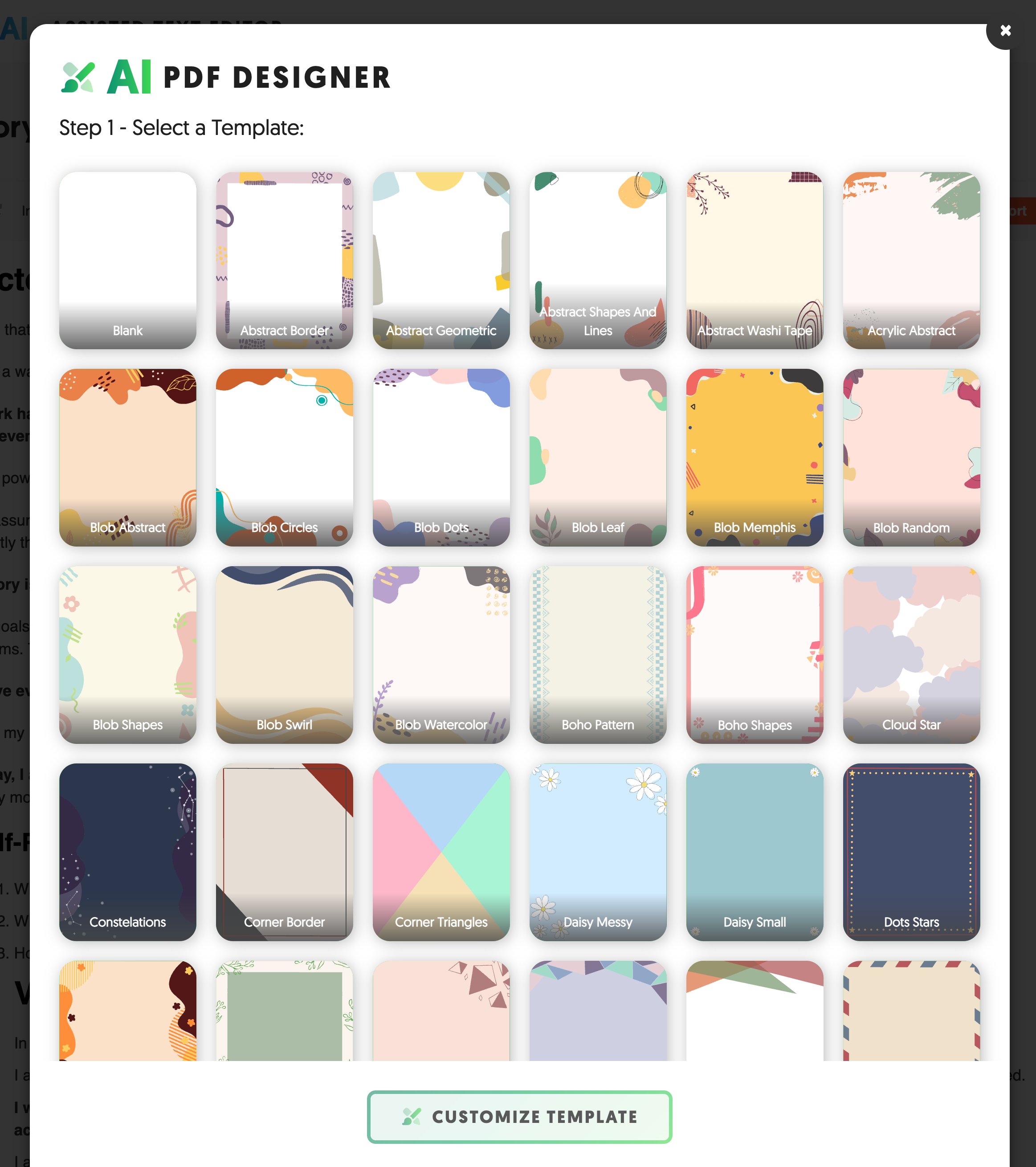
Content customized. Now make it look like a product someone paid for. The AI PDF Designer is built directly into the Text Editor — click Export and you're in.
- Inside the Text Editor, click the orange Export button (top right)
- The AI PDF Designer opens — select a template from the library
- Customize your fonts, heading style, and color scheme to match your brand
- Click Customize Template, preview the result, then export
Set your price — the hard way or the easy way
You can research comparable products and estimate a price yourself. Or use AI to get a validated answer in 30 seconds.
Step 3 complete when: Your branded PDF is exported, renamed, and your price is set.
You need a platform that hosts your file, collects payment, and delivers the download automatically. You don't need a website. Pick one of these.
Gumroad
Free to start. Small cut per sale. Upload file, set price, get a link in under 10 minutes.
Recommended for day 1Stan Store
Built for TikTok creators. Bio link goes straight to your products. Clean mobile checkout.
Best for TikTok sellersPayhip
No monthly fee. Handles EU VAT automatically. Good Gumroad alternative.
Solid free optionThriveCart
One-time fee, no transaction costs. Best for upsells and scaling — overkill for product #1.
For laterCreate a free account on Gumroad or Stan Store. Click New Product and fill in these fields using what you built in Steps 2 and 3:
- Product name → your new title from Step 2
- Description → paste your AIMA sales page copy from Step 2
- Price → the number you set in Step 3
- File upload → your branded PDF from Step 3
- Cover image → even clean text on a solid color works for day 1
Publish it. A live listing that's 80% polished beats a perfect listing that doesn't exist.
Step 4 complete when: Your product has a public URL and someone can buy it right now.
A product without traffic is a file on a server. This is the step most people skip — and the only reason first products never make a sale.
Option A — Post where your audience already is
One post. Not a thread, not a launch sequence. Something that sounds like a person sharing something useful. You can write it yourself — or do it the easy way.
Option B — Message three people directly
Name three people — personally or online — who match the audience you built this for. Send a direct message: "I just built [product name] for [specific person]. Thought of you — here's the link." Short. Specific. The first sale almost always comes from a DM, not a post.
Option C — Update your bio link
If you have any social following, update your bio link to your product listing today. It makes sales while you're doing everything else.
Step 5 complete when: At least one person who isn't you knows this product exists and has a way to buy it.
What you have now — and what to do next.
You have a live digital product. Most people who join PLR.me never get here. You did.
Natural next moves
Get your second product live faster than the first. You know the process now. Product #2 takes half the time. Consistent revenue comes from a library of 5–10 products, not one. The Kickstart Bundle has the exact playbook for building that stack fast.
Build a lead magnet. Strip the 3–5 most valuable pages from what you just built and offer it free in exchange for an email address. That list is your next launch audience — and the AI Cash Machine inside the Kickstart shows you exactly how to monetize it.
Bundle three related products. Three products at a 30% discount outsells any single product at full price. PLR.me's library gives you the inventory. The Kickstart Offer Strategy shows you how to price and position the bundle so it sells.
All three of these are covered inside the Kickstart Bundle — with credits, training, and a community to keep you moving.
Get the Kickstart Bundle — $287Get the credits, training, and tools to turn this into real recurring revenue.
You just built your first product. The Kickstart Bundle is how you turn that into a system — more credits, more training, the Skool community, and a launch playbook built for sellers who are already moving.
You built one product. Now build the system.
The Kickstart Bundle gives you double the credits, the training, and the community to turn this into consistent revenue.
Get the Kickstart Bundle — $287